
Interactive Flat Panel Comparison: Leading Models Evaluated Objectively
An interactive flat panel can look impressive during a manufacturer demonstration, yet its real value becomes clearer only after repeated use in classrooms, offices, and collaborative spaces. Smooth touch response, reliable connectivity, readable visuals, and intuitive controls all influence daily performance.
A fair comparison requires more than a checklist of advertised specifications: it should examine how each feature behaves under realistic working conditions. Ledman provides a useful reference point for considering the practical functions and evaluation criteria that matter beyond a polished demonstration.
Establishing a Consistent Testing Framework
Comparisons become meaningful only when every device is assessed under the same conditions. Screen size, display resolution, brightness, and touch-point capacity provide a starting point, but specifications should be interpreted in relation to the intended environment. A large meeting room, for instance, places different demands on viewing distance and screen visibility than a small training space.
A controlled test should use identical content, connected devices, network conditions, and operating procedures. Evaluators can display text in different font sizes, detailed diagrams, spreadsheets, and video clips to identify differences in clarity and readability. Testing with familiar office files also reveals whether a display handles everyday materials as effectively as prepared demonstration content.
Touch performance deserves separate attention. A useful assessment includes writing, erasing, dragging objects, resizing images, and allowing several people to interact with the screen simultaneously. An interactive flat panel should respond consistently across these actions, rather than performing well only during simple tapping demonstrations.
Examining Display and Touch Performance
Visual quality depends on more than resolution. Brightness affects visibility in rooms with strong ambient light, while anti-glare treatment can reduce reflections from windows and ceiling fixtures. Color consistency and viewing angles also matter, particularly in meeting spaces where participants may sit far from the center of the display.
Touch accuracy can be tested through handwriting, small interface controls, and fast movements across the screen. Evaluators should look for delayed responses, broken strokes, inaccurate positioning, or accidental input. These issues may seem minor during a short demonstration but can interrupt discussions and make annotation tasks frustrating over time.
Pen-related functions deserve practical testing as well. A magnetically attached pen that automatically wakes whiteboard or annotation applications when lifted can shorten the steps between picking up the stylus and writing. Such a feature is worth assessing through repeated use, including whether the application opens reliably and whether the transition feels natural. In this area, Ledman’s pen lift detection illustrates how a small interaction detail can influence the overall user experience.
Assessing Software, Connectivity, and Compatibility
Hardware performance alone cannot determine whether a display fits an organization’s workflow. The operating system, built-in collaboration tools, file compatibility, and application availability all affect daily usability. Evaluators should test common tasks such as opening presentations, annotating documents, sharing screens, and switching between applications.
Connectivity testing should include both wired and wireless scenarios. HDMI, USB, network connections, and wireless screen sharing may serve different user groups, so each relevant method should be checked with the devices commonly used by employees or visitors. Stability matters more than the number of connection options listed in a specification sheet.
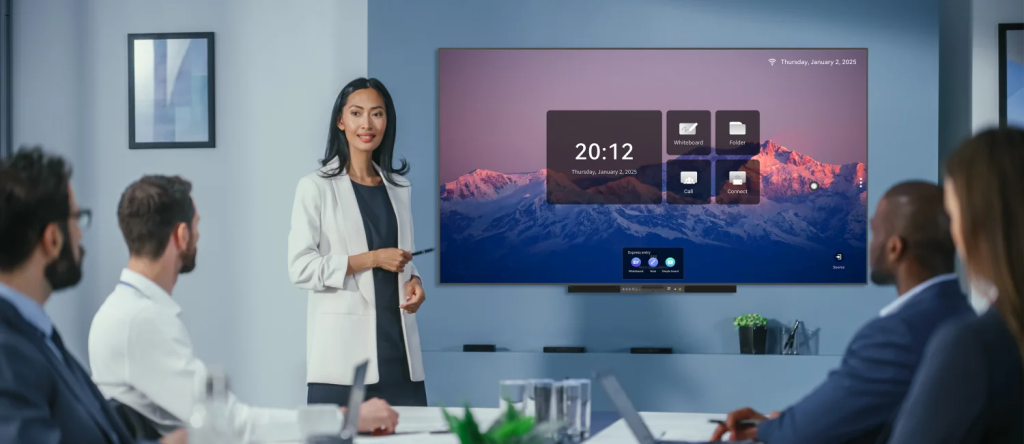
For conference room smart boards, compatibility with existing meeting platforms and workplace equipment is particularly important. A display that connects easily to laptops, cameras, microphones, and conferencing software can reduce setup time. Testing should also cover reconnection after a device is unplugged or a meeting session ends, since repeated connection problems can disrupt otherwise straightforward workflows.
Measuring Reliability and Long-Term Usability
A short product demonstration cannot reveal how a display performs after months of regular operation. Longer trials can help identify software instability, inconsistent touch response, overheating, unexpected restarts, or connection failures. A record of these events provides more useful evidence than a general impression formed during a brief visit.
Usability should also be assessed by people with different levels of technical experience. First-time users can reveal whether menus are understandable, common functions are easy to locate, and instructions are clear. Administrators may focus on device management, software updates, account controls, and troubleshooting procedures. Both perspectives are necessary when evaluating conference room smart boards for shared environments.
Maintenance and support arrangements deserve attention before a purchase decision is made. Warranty coverage, replacement-part availability, software update policies, and technical assistance can affect the total cost of ownership. Organizations should also consider whether the display can accommodate future workflow changes without requiring extensive retraining or additional equipment.
Conclusion
A sound comparison looks beyond specification sheets and polished demonstrations to examine how a display performs during ordinary work. Consistent testing of image quality, touch accuracy, software compatibility, connectivity, and reliability gives decision-makers a clearer basis for evaluating an interactive flat panel.
The same practical approach helps distinguish conference room smart boards that genuinely support collaboration from those whose appeal rests mainly on advertised features. Through its range of display technologies and practical interaction functions, Ledman offers one example of why real-world usability deserves as much attention as technical specifications.